




















































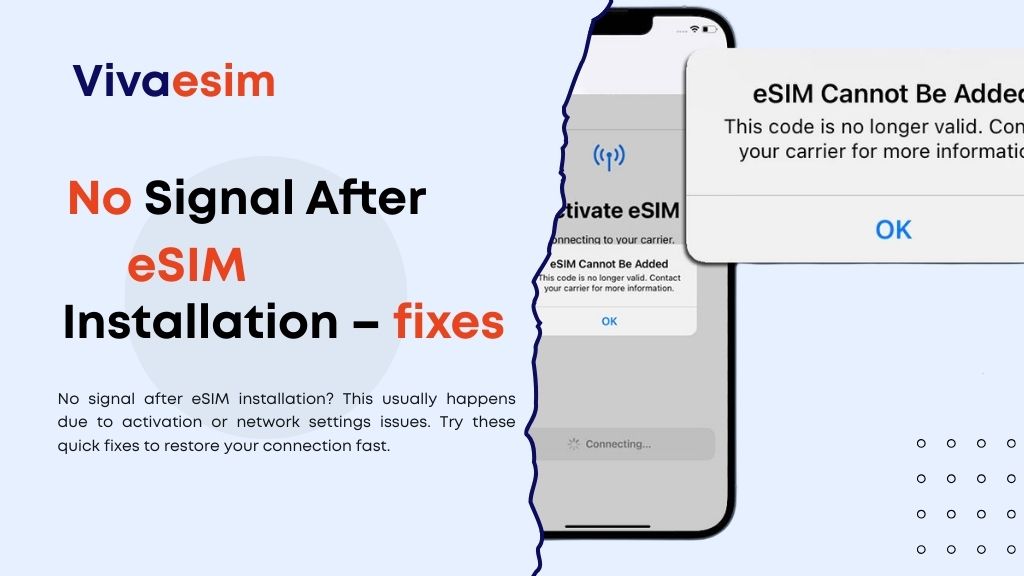
No Signal After eSIM Installation? Traveling abroad can be exciting—new cities, cultures, and experiences. But one of the most stressful moments travelers face is installing an eSIM and seeing “No Signal” or “No Service” on their phone.
What Is an eSIM and Why Travelers Use It
An eSIM (embedded SIM) is a digital SIM that allows you to activate a mobile data plan without inserting a physical SIM card. Instead of visiting a local store after landing, travelers can install and activate their plan before or during the trip.
Today, many modern smartphones support eSIM technology because it offers:
- Instant activation
- No physical SIM swapping
- Multiple network profiles
- Reliable international connectivity
For travelers abroad or people needing emergency internet, eSIM is becoming the most convenient option.
Why “No Signal” Happens After Installing an eSIM
If your eSIM is installed but shows no signal, don’t panic. Usually, it’s not a serious issue.
Here are the most common reasons:
- The eSIM plan isn’t fully activated yet
Sometimes users install the eSIM but forget to enable it in the mobile settings. - Data roaming is turned off
Most travel eSIM plans require roaming to be enabled. - Network selection is incorrect
Your phone may still be trying to connect to your home carrier instead of the local partner network. - The device is not eSIM compatible or unlocked
Some phones support eSIM but may still be locked to a carrier. - Temporary network delay after arrival
When you land in a new country, the phone may take a few minutes to connect to the local network.
Understanding these reasons already solves half of the problem.
Step-by-Step Fix: eSIM Installed but No Network
If you are currently experiencing this issue while traveling, try the following steps.
1. Turn Airplane Mode On and Off
This is the quickest fix.
It forces your phone to reconnect to the network.
Many travelers find their signal returns within seconds after doing this.
2. Enable Data Roaming
Go to:
Settings → Cellular / Mobile Data → Enable Data Roaming.
Without this, many travel eSIM plans won’t connect.
3. Select the eSIM as Your Active Data Line
Sometimes the phone still uses the physical SIM for data.
Check that your eSIM plan is selected for:
- Mobile data
- Internet connectivity
4. Restart Your Phone
A simple restart refreshes the network connection and resolves most activation issues.
5. Manually Choose a Network
If automatic selection doesn’t work:
Settings → Mobile Network → Network Selection → Turn off automatic → Choose a local carrier.
This is particularly helpful when traveling internationally.
6. Check If the eSIM Was Activated Too Early
Some travel eSIM plans start working only after arriving in the destination region.
If installed too early, it might show no signal until you reach a supported network area.
eSIM vs Roaming or Local SIM: Why Travelers Prefer It
Even though occasional setup issues happen, eSIM still provides a much smoother travel experience compared to traditional options.
International roaming from your home carrier is often expensive and unpredictable. A local SIM card requires finding a shop, showing ID, and waiting for activation.
With an eSIM, travelers can:
- Activate data in minutes
- Avoid airport SIM queues
- Switch plans digitally
- Stay connected instantly in emergencies
That’s why many people now prefer travel-ready eSIM solutions.
Best eSIM Plan Types for Different Travelers
Not every traveler needs the same data plan. The right choice depends on your travel style. Short trips like business travel or weekend vacations usually work best with small high-speed plans that last a few days. Medium trips, such as one to two weeks abroad, benefit from larger data packages that allow maps, video calls, and social media use without constant worry.
Frequent travelers often choose regional or unlimited data plans so they can move between countries while staying connected. Reliable providers offer flexible options that travelers can activate instantly when needed. This is where many users prefer Viva eSIM plans because they are designed specifically for international travelers.
4G and 5G Coverage for Travel eSIM
One concern many users have is network quality. Most modern travel eSIM providers connect to local tier-1 telecom networks, which means users can access the same infrastructure as local SIM cards. In major global destinations, travelers typically experience:
- Fast 4G LTE connectivity
- 5G support in urban areas
- Stable coverage in airports, cities, and tourist hubs
Connectivity may vary in remote regions, but in most popular travel areas the experience is reliable, ensuring your eSIM works and helps with how to fix eSIM not working or travel eSIM not connecting issues.
Where eSIM Connectivity Works Best
Travel eSIM networks usually perform best in:
- International airports
- Major cities
- Business districts
- Tourist destinations
- Transport hubs
These areas have stronger infrastructure and faster mobile data speeds.
If you’re traveling to rural or remote areas, switching networks manually can sometimes improve connectivity and help how to fix eSIM not working or when your travel eSIM is not connecting.
How to Activate an eSIM Correctly (Beginner Guide)
If you’re new to eSIM, activation may feel confusing. But the process is actually simple.
- First, purchase a plan online from a trusted provider.
- Then scan the QR code provided after checkout.
- Install the eSIM profile on your phone.
- Turn on mobile data and roaming when you arrive at your destination.
Within minutes, your phone should connect to the local network. Many travelers now prefer to buy Viva eSIM online before their trip so they don’t have to worry about connectivity after landing.
Data-Saving Tips While Traveling
Even with a reliable connection, managing your data is important.
Simple habits can extend your data usage significantly:
- Use offline maps before traveling
- Download essential apps in advance
- Disable background app refresh
- Connect to Wi-Fi when available
- Lower video streaming quality
These small adjustments can help travelers stay connected longer during trips.
Is Using eSIM Safe and Legal?
Yes, eSIM technology is widely accepted and used globally. It follows the same telecommunications regulations as traditional SIM cards, and it’s supported by major smartphone brands and telecom providers. Many travelers wonder why eSIM shows no service or if their eSIM activated but no network.
However, travelers should always use trusted eSIM providers, avoid unofficial QR codes, and purchase plans from verified websites. These steps help how to fix eSIM not working issues and ensure your travel eSIM not connecting problems are minimized, keeping your connectivity secure and reliable.
Who Should Use a Travel eSIM
Travel eSIM is ideal for:
- Frequent travelers
- Digital nomads
- Business professionals
- Tourists visiting multiple countries
- People needing emergency internet abroad
It’s especially helpful for travelers who want instant connectivity without hassle.
What to Do If Your eSIM Shows No Signal
Seeing “No Signal” after eSIM Installation? can feel stressful, especially when traveling abroad. But in most cases, the issue is temporary and can be fixed within minutes.
Restarting your phone, enabling roaming, or selecting the correct network usually resolves the problem quickly. To avoid connectivity issues during trips, it’s best to use a reliable provider offering global coverage and traveler-friendly activation. That’s why many travelers choose Viva eSIM for travelers, it provides flexible plans, easy installation, and reliable connectivity worldwide.
If you’re planning your next trip or need emergency internet abroad, you can easily buy Viva eSIM online and stay connected wherever you go.
