




















































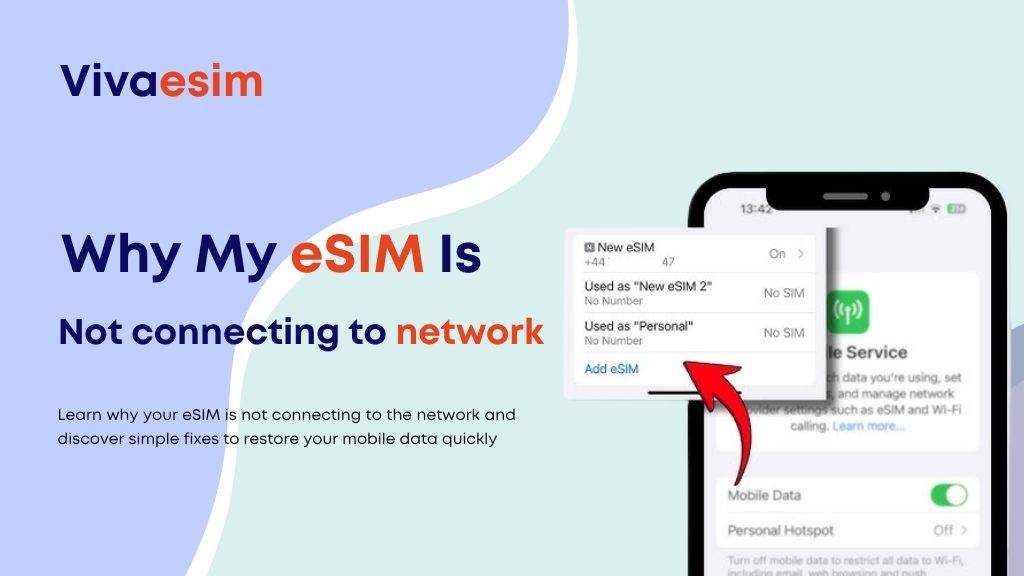
Get Your eSIM Connected Successfully: Traveling internationally should be exciting, not stressful because your phone suddenly shows “No Service” or “No Network.” Many travelers today rely on eSIM instead of expensive roaming or hunting for local SIM cards. But sometimes, right after landing, you might notice your eSIM is not connecting to a network.
If you’re wondering why this happens and how to fix it quickly, this guide will walk you through everything in simple terms. We’ll also explain how modern travel connectivity solutions like Viva eSIM help travelers stay connected without roaming headaches.
The Travel Connectivity Problem (And Why It Happens)
Imagine landing in a new country after a long flight. You want to:
- Book a ride
- Check hotel details
- Contact family
- Navigate maps
But your phone shows no internet. This is one of the most common issues international travelers face when switching to a travel eSIM, which is exactly why eSIM shows no service in many cases. The good news is that most connectivity issues are temporary and easy to fix once you understand what’s happening. Before we jump into troubleshooting, let’s quickly understand the basics.
What Is an eSIM?(Get Your eSIM Connected Successfully)
An eSIM (embedded SIM) is a digital SIM card built directly into your smartphone. Instead of inserting a physical SIM, you simply scan a QR code or download a mobile plan.
This technology allows travelers to:
- Activate a mobile plan instantly
- Switch networks without changing SIM cards
- Avoid expensive roaming charges
- Buy data plans before arriving at a destination
For travelers, this means seamless connectivity from the moment they land, even if they’ve ever wondered why eSIM shows no service or how to fix eSIM network problem.
Why eSIM Is Better Than Roaming or Local SIM
Traditional roaming can be extremely expensive and unpredictable. Many travelers receive shocking bills after returning home. Local SIM cards, while cheaper, also come with problems such as:
- Language barriers
- Long queues at airports
- SIM registration requirements
- Compatibility issues
Travel eSIM solutions solve these problems by allowing users to buy eSIM online before departure and activate it instantly upon arrival. Compared to roaming and physical SIM cards, eSIM offers:
- Faster activation
- Flexible data plans
- Multi-country support
- Reliable 4G/5G connectivity
That’s why many travelers now choose Viva eSIM for travelers instead of traditional options.
Why Your eSIM Is Not Connecting to a Network
Now let’s talk about the real issue. If your eSIM is installed but not connected to a network, one of these reasons is usually responsible.
1. Data Roaming Is Turned Off
Many travelers forget to enable data roaming on their phone. Even though eSIM replaces roaming charges from your home carrier, the phone setting still needs to be enabled. Without this, your eSIM may show a signal but won’t connect to the internet.
2. The eSIM Is Installed but Not Activated
Sometimes users install the eSIM profile but don’t complete activation steps.
This can happen when:
- The QR code was scanned too early
- Activation requires arrival in another country
- The device didn’t refresh network settings
A quick restart often solves this.
3. Wrong Network Selected
In some destinations, your phone might try connecting to a network that doesn’t support the eSIM plan. Switching the network manually in settings can fix the issue within seconds.
4. Device Compatibility Issues
Not all smartphones support eSIM technology or all international bands. Compatible devices usually include:
- Newer iPhones
- Modern Android flagship devices
- Some travel-ready smartphones
If your phone supports eSIM but lacks certain bands, the network might be weak in some locations.
5. APN Settings Not Updated
Occasionally, your phone may not automatically update internet settings (APN). This can result in:
- eSIM connected but no internet
- Very slow speeds
- Data not loading
Resetting network settings usually resolves this problem.
Best eSIM Plans for Travelers
Choosing the right plan also affects connectivity and travel experience, especially to avoid situations where your eSIM is not working abroad. Travelers usually select plans based on trip duration and data usage.
Short Trips (1–5 Days)
Perfect for:
- Business travelers
- Weekend trips
- Quick stopovers
These plans provide enough data for navigation, messaging, and ride-hailing apps.
Medium Trips (7–15 Days)
Ideal for:
- Vacation travelers
- Remote workers
- Digital nomads
These plans allow regular internet usage including social media and video calls.
Heavy Usage or Unlimited Plans
Best for:
- Content creators
- Business travelers
- Long vacations
These plans ensure uninterrupted internet throughout the trip. Many travelers prefer Viva eSIM plans because they can be activated instantly and scaled based on travel needs, helping solve common issues like eSIM not working abroad.
4G / 5G Coverage and Speed Expectations
One of the most common questions travelers ask is: “Will my eSIM be fast enough?” In most major travel destinations, eSIMs connect to leading telecom networks that offer:
- High-speed 4G LTE
- Expanding 5G coverage
- Stable connections in urban areas
Speeds may vary depending on:
- Network congestion
- Phone compatibility
- Location
- Indoor vs outdoor usage
But in most cases, travelers experience performance similar to local SIM cards.
Where eSIM Works Best
While eSIM coverage is excellent globally, performance tends to be strongest in:
- International airports
- Major cities
- Tourist areas
- Business districts
- Transport hubs
Rural areas may still work but speeds can vary depending on the local network infrastructure.
This is normal for any mobile network, including roaming and local SIMs.
Step-by-Step: How to Fix eSIM Not Connecting
If your eSIM is not working, try this quick checklist.
Step 1: Turn On Data Roaming
Go to your phone’s mobile network settings and enable data roaming.
Step 2: Restart Your Phone
This refreshes the network and often solves connection problems instantly.
Step 3: Select Network Manually
Choose a supported network instead of automatic selection.
Step 4: Confirm eSIM Is Active
Ensure the eSIM line is turned on and selected for mobile data.
Step 5: Reset Network Settings
If the issue persists, resetting network settings can fix hidden configuration issues. In most cases, these steps restore connectivity within minutes.
Data-Saving Tips While Traveling
Even with a good plan, smart data usage helps travelers stay connected longer. Here are a few practical tips:
- Download maps offline before traveling
- Use hotel Wi-Fi for large downloads
- Disable background app updates
- Reduce video streaming quality
- Use messaging apps with low data consumption
These simple habits can extend your data plan significantly.
Safety and Legality of eSIM
Many travelers wonder whether using an eSIM internationally is safe and legal, especially if they’ve experienced eSIM not working abroad or are curious why eSIM shows no service. Others ask how to fix eSIM network problem or wonder why my eSIM is not connecting to network. The answer is yes—eSIM technology is:
-
Approved by global telecom standards
-
Supported by major smartphone brands
-
Used by airlines, remote workers, and business travelers
However, regulations may vary slightly by destination. Always purchase from trusted providers to ensure compliance and reliable connectivity.
Who Should Use a Travel eSIM? -Get Your eSIM Connected Successfully
Travel eSIM is ideal for:
- Frequent international travelers
- Digital nomads
- Business professionals
- Remote workers
- Students studying abroad
- Tourists visiting multiple countries
If you rely on internet access for navigation, bookings, or communication, eSIM is one of the easiest connectivity solutions available today. If your eSIM is not connecting to a network, don’t panic. In most cases, the issue is caused by simple settings that can be fixed quickly. As global travel becomes more digital, eSIM is becoming the preferred option for staying connected without roaming fees or physical SIM hassles.
For travelers who want reliable connectivity, flexible data plans, and easy activation, many users now choose to buy Viva eSIM online before their trip so they can connect instantly upon arrival, avoiding issues like eSIM not working abroad. A small preparation step can make a big difference in ensuring a smooth travel experience.
FAQs About eSIM Network Issues
Why does my eSIM show signals but no internet?
This usually happens when data roaming is turned off or APN settings are not configured correctly.
How long does eSIM activation take?
Most travel eSIMs activate within a few minutes after scanning the QR code.
Can I use eSIM immediately after landing?
Yes, once the device connects to a supported network, your data should start working automatically.
Why does my phone say no service with eSIM?
This can occur if your phone selects an unsupported network or if the eSIM is not enabled.
Do all phones support travel eSIM?
No. Only eSIM-compatible devices support this technology, so checking compatibility is important.
Is eSIM better than international roaming?
For most travelers, eSIM is cheaper, faster to activate, and more flexible than roaming.
Can I keep my main SIM while using eSIM?
Yes, most smartphones allow dual SIM functionality, so you can use both at the same time.
Does eSIM work everywhere?
Coverage is global, but speeds depend on local telecom infrastructure.
What should I do if my eSIM still doesn’t work?
Restart your phone, check network settings, or contact your eSIM provider’s support team.
Is it safe to buy eSIM online?
Yes, as long as you purchase from reputable travel connectivity providers.
