




















































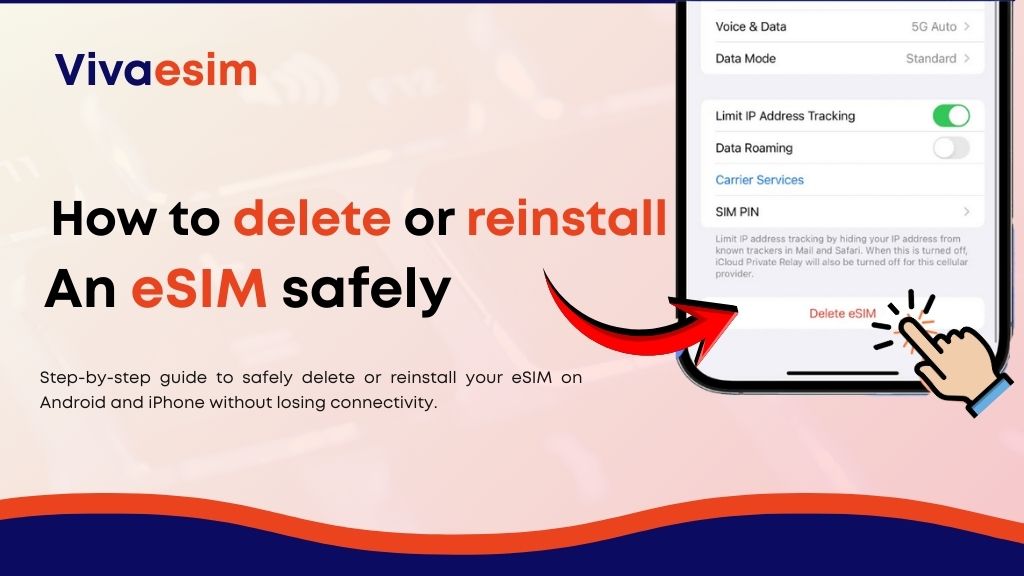
Reinstall an eSIM safely – Traveling today is easier than ever, but staying connected can still be frustrating. Many travelers switch phones before a trip, upgrade devices, or simply want to reuse their eSIM while traveling internationally. Then a common question appears:
“What happens if I delete my eSIM? And how can I reinstall an eSIM safely?”
This guide explains everything in a simple, beginner-friendly way. Whether you’re switching phones, resetting your device, or preparing for a trip, you’ll learn how to manage your eSIM without losing connectivity. If you’re planning to travel soon or reuse a digital SIM on another device, this article will help you do it safely and confidently.
What Is an eSIM? (how to delete or reinstall an eSIM safely)
An eSIM (embedded SIM) is a digital SIM card built directly into your smartphone, tablet, or smartwatch. Instead of inserting a physical SIM card, you activate mobile service by scanning a QR code or installing a mobile plan digitally.
For travelers, this technology is a huge advantage.
You can:
- Activate mobile data instantly
- Avoid searching for local SIM cards
- Use international data plans
- Switch networks without changing physical cards
Many travelers now prefer Viva eSIM plans because they can activate connectivity before arriving at their destination.
Why Travelers Choose eSIM Instead of Roaming or Local SIMs
Imagine landing in a new country after a long flight. Instead of waiting at the airport for a SIM card, your phone already has the internet the moment you turn it on.
That’s the main reason travelers choose eSIM.
Traditional roaming often comes with:
- Very high data costs
- Limited data packages
- Slow speeds in some regions
Local SIM cards can also be inconvenient. Travelers need to find a store, show documents, and manually replace their SIM.
eSIM simplifies everything. With Viva eSIM for travelers, you can activate a plan online and keep your original SIM active for calls and messages while using international data.
This is especially helpful for:
- Digital nomads
- Remote workers
- Business travelers
- People upgrading phones frequently
When You May Need to Delete or Reinstall an eSIM-
Deleting an eSIM is not something you do every day, but there are several common situations where it becomes necessary.
For example, many travelers delete their eSIM when:
- Switching to a new phone
- Resetting a device
- Reinstalling a mobile plan
- Troubleshooting connectivity issues
- Preparing a phone for resale
In most cases, deleting an eSIM is completely safe — as long as you still have access to the activation details.
This is why it’s important to understand how the process works before removing it.
Best eSIM Plans for Different Travel Needs
Not every traveler uses data the same way. Some only need maps and messaging, while others stream videos or work online.
Here are common plan types travelers choose:
Short Trip Plans
Perfect for weekend trips or short business visits. These usually include smaller data packages that last a few days.
They work best if you mostly use:
- Maps
- Messaging apps
- Ride-sharing services
Medium Trip Plans
These plans are ideal for vacations lasting one to two weeks. Many travelers choose these because they balance price and data usage.
They are good for:
- Social media
- Travel bookings
- Navigation
- Occasional video calls
Unlimited Data Plans
Frequent travelers or remote workers often prefer unlimited data. These plans ensure you don’t run out of internet while working or streaming.
Regional eSIM Plans
If you’re visiting multiple countries in one trip, regional plans are very useful. Instead of switching networks every time, your connection continues automatically. Many travelers prefer to buy Viva eSIM online because it offers flexible plan options depending on travel style.
4G and 5G Coverage: What Travelers Should Expect
One of the biggest concerns travelers have is speed.
Most modern eSIM providers support 4G LTE and 5G networks, depending on your device and location.
You will usually experience the best speeds in:
- Major cities
- Airports
- Business districts
- Tourist areas
Speeds may be slightly slower in:
- Rural regions
- Mountains
- Remote travel destinations
Still, most travelers find eSIM internet fast enough for navigation, video calls, and online bookings.
Where eSIM Works Best While Traveling
eSIM technology works extremely well in places where traditional connectivity can be expensive or inconvenient.
Travelers often get the best experience in:
- Large international airports
- Major tourist destinations
- Urban travel hubs
- Popular digital nomad locations
Because eSIM connects to multiple networks, your phone automatically selects the strongest signal available, making it easy to buy travel eSIM online and stay connected.
This is one reason why many travelers now rely on Viva eSIM plans instead of physical SIM cards.
Step-by-Step Guide: How to delete or reinstall an eSIM safely
Before deleting your eSIM, the most important thing is to confirm that you can reinstall it later.
Follow these steps carefully:
- Open your phone settings.
- Go to Mobile Network or Cellular Settings.
- Select the eSIM plan you want to remove.
- Tap Remove eSIM or Delete Plan.
- Confirm the action.
Once deleted, the eSIM profile disappears from your phone.
However, your plan may still exist with your provider. You may simply need to reinstall it using the original QR code or activation link.
How to Reinstall an eSIM on a Phone
Reinstalling an eSIM is usually quick and simple.
Most travelers reinstall their eSIM when:
- Switching to a new phone
- Resetting their device
- Reactivating a travel plan
Here is the typical process:
- Open phone settings.
- Tap Add eSIM or Add Mobile Plan.
- Scan the QR code from your provider.
- Follow the setup instructions.
- Enable the eSIM for mobile data.
After installation, your phone should connect to the network within minutes, and knowing how to delete or reinstall an eSIM safely can help prevent issues.
Data-Saving Tips While Using Travel eSIM
Even if you have a large data plan, it’s always smart to optimize your usage while traveling.
Travelers often reduce data consumption by:
- Downloading offline maps
- Disabling background app refresh
- Using Wi-Fi for updates
- Streaming in lower resolution
- Turning off auto-downloads
These small habits can extend your data plan significantly during long trips.
Safety and Legality of Using eSIM
Many travelers ask whether eSIM is legal and safe.
The answer is yes.
eSIM technology is supported by:
- Major smartphone manufacturers
- Global telecom providers
- International travel networks
It is also secure because:
- Profiles are encrypted
- Activation requires authorization
- SIM swapping risks are reduced
However, travelers should always purchase eSIM plans from trusted providers like Viva eSIM for travelers to avoid activation issues.
Who Should Use a Travel eSIM
eSIM is ideal for many modern travelers.
You will benefit most if you:
- Frequently switch phones
- Travel internationally
- Want instant internet upon arrival
- Prefer digital solutions
- Work remotely while traveling
Even first-time users find eSIM easy to manage after their first installation.
Should You Delete or reinstall an eSIM safely?
Deleting or reinstalling an eSIM is completely safe if you follow the correct steps and keep your activation details secure. This guide on how to delete or reinstall an eSIM safely is especially useful for travelers who upgrade devices or move between countries often. eSIM actually makes connectivity much easier than traditional SIM cards.
If you’re preparing for your next trip or switching phones, it’s worth exploring flexible travel plans available through Viva eSIM. Many travelers now prefer to activate their connectivity before departure so they land with the internet already working.
FAQs About Deleting or reinstall an eSIM safely
1. What happens if I delete my eSIM?
Deleting an eSIM removes the profile from your device, but your plan may still exist with your provider.
2. Can I reinstall an eSIM safely again?
Yes, in many cases you can reinstall it using the original QR code or activation details.
3. Is it safe to delete an eSIM before switching phones?
Yes, but make sure you have the installation details or access to your provider account.
4. Do I lose my data plan if I remove my eSIM?
Not always. Many travel eSIM providers allow reinstallation.
5. How long does it take to reinstall an eSIM safely?
Usually only a few minutes after scanning the QR code.
6. Can I use an eSIM while keeping my physical SIM active?
Yes. Many travelers use their physical SIM for calls and eSIM for data.
7. Is eSIM better for international travel?
Yes, because you can activate data instantly without buying a local SIM card.
8. Can I install the same eSIM on multiple phones?
Usually no. Most eSIM profiles are linked to one device at a time.
9. What should I do if my eSIM stops working while traveling?
Try reinstalling it or contact your provider’s support team.
10. Where can I buy a travel eSIM online?
You can purchase international plans easily through providers offering global connectivity like Viva eSIM.
